Customers
Menghapus customer
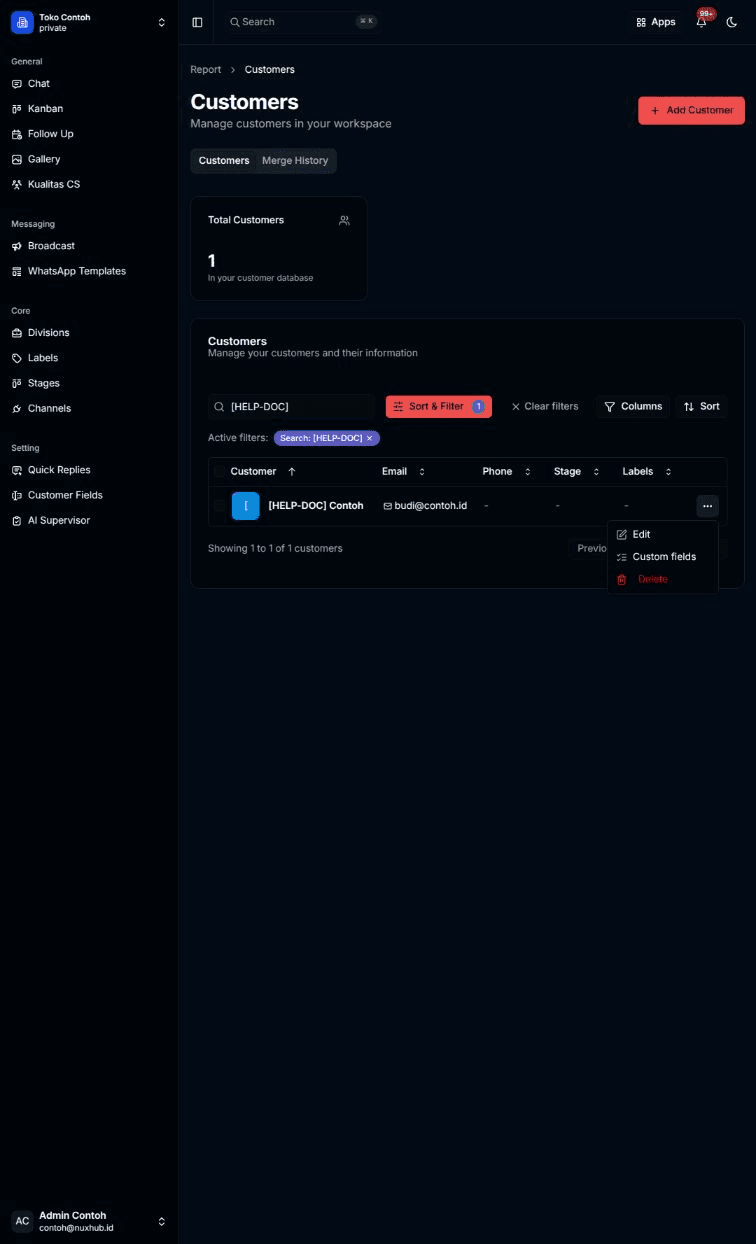
Menghapus customer dari menu baris di halaman Customers.
Sebelum mulai
- Menghapus customer bersifat permanen. Dialog konfirmasi menyebut bahwa tindakan ini tidak bisa dibatalkan.
Langkah
Pada baris customer, klik tombol titik tiga, lalu pilih Delete (teks merah).
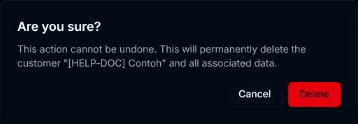
Dialog Are you sure? muncul: "This action cannot be undone. This will permanently delete the customer ... and all associated data." Klik Delete untuk menghapus, atau Cancel untuk membatalkan.
Hasilnya
Customer hilang dari tabel dan muncul pesan Customer deleted successfully. Selama proses, tombol berubah menjadi Deleting....
Masalah umum
- Failed to delete customer. Please try again. — penghapusan gagal.