Cards
Membuat kartu kustom
Membuat kartu dari bentuk kosong lewat tombol Build a custom card.
Sebelum mulai
- Menu Report tampil di launcher Apps (tile Report tidak dibatasi per workspace).
- Report berlaku per workspace. Tanpa workspace terpilih, halaman menampilkan No workspace selected ("Reports are scoped to one workspace.").
- Sudah ada minimal satu dashboard.
Langkah
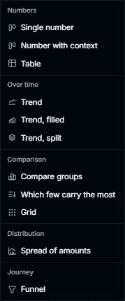
Di halaman Card catalog, klik Build a custom card, lalu pilih bentuk kartu di menu.
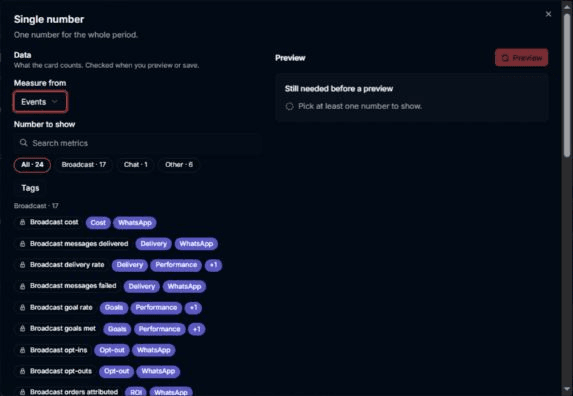
Di editor kartu, isi pilihan yang diminta lalu klik Add to dashboard.
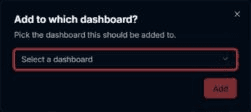
Di dialog Add to which dashboard?, pilih dashboard lalu klik Add.
Hasilnya
- Dashboard yang dipilih terbuka dengan kartu kustom di dalamnya.
Masalah umum
- Preview di editor yang gagal menampilkan Preview failed atau pesan dari server.