Test Chat
Menjalankan node test
Menjalankan satu langkah bot (intent, routing, knowledge, dan lainnya) di luar percakapan penuh.
Sebelum mulai
- Buka Test Chat.
- Bagian Node tests hanya tampil di mode Advanced. Pilih Advanced pada pengalih Experience mode di bilah atas.
- Satu probe, Improvement trigger, bertanda Writes karena mengubah data workspace.
Langkah
Di bilah atas, pilih Advanced pada pengalih Experience mode.
Gulir ke bagian Node tests: "Run one graph step at a time, outside a full conversation."
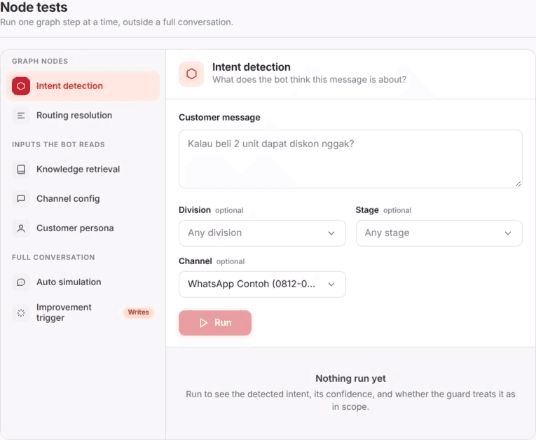
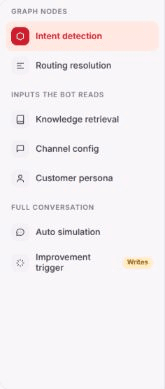
Pilih probe di daftar kiri. Probe dikelompokkan: Graph nodes (Intent detection, Routing resolution), Inputs the bot reads (Knowledge retrieval, Channel config, Customer persona), dan Full conversation (Auto simulation, Improvement trigger).
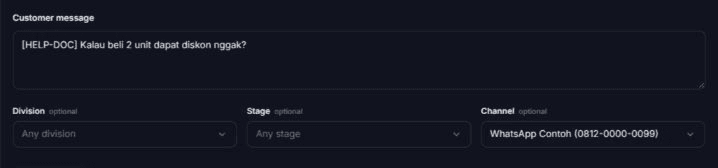
Isi parameter probe. Contoh Intent detection: isi Customer message dan, bila perlu, Channel, Division, serta Stage (ketiganya optional).
Pilih Run. Tombol berubah menjadi Running selama probe berjalan.

Hasilnya
- Hasil muncul di area di bawah tombol. Sebelum probe dijalankan area itu berbunyi Nothing run yet.
- Tiap probe menjawab satu pertanyaan, mis. Intent detection: "What does the bot think this message is about?" dan Routing resolution: "Given an intent, which reply mode wins?"
- Hasil probe hilang saat kamu berpindah ke probe lain; tiap probe punya isian dan hasilnya sendiri.
Masalah umum
- That run failed — "The chatbot service rejected the request. Check the params and try again."
- Tombol Run nonaktif selama isian wajib probe (mis. Customer message) masih kosong.
- Improvement trigger bertanda Writes: menjalankannya mengubah data workspace.