Melihat event yang dilewati
Melihat pesan dan perubahan pelanggan yang cocok dengan flow tetapi tidak memulai run.
Sebelum mulai
- Menu Automation tampil di launcher (Automation dinyalakan untuk seluruh lingkungan, bukan per workspace).
- Menu Skipped butuh izin
automation_runs:read.
Langkah
Buka Automation, lalu pilih Skipped di bawah Runs (atau buka tab Skipped events di halaman Riwayat run).
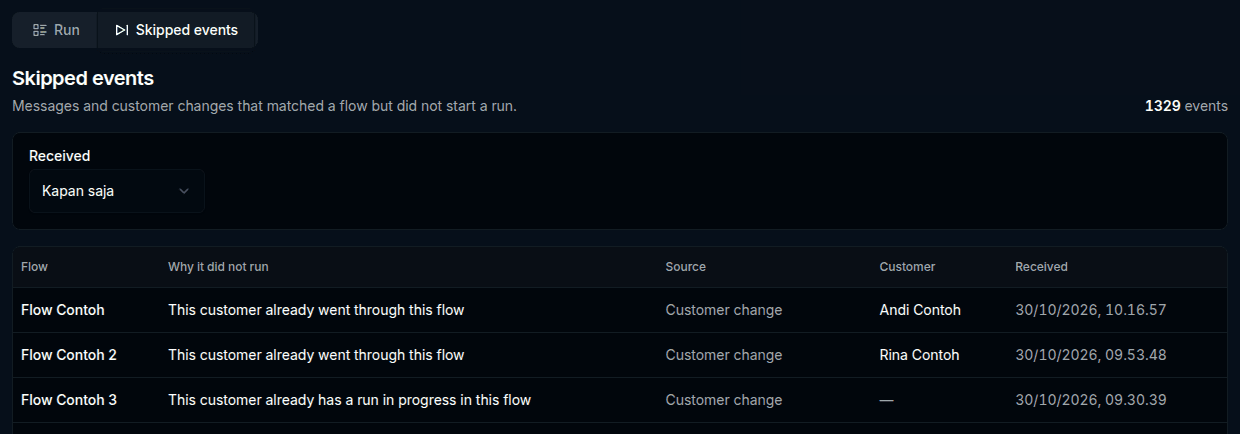
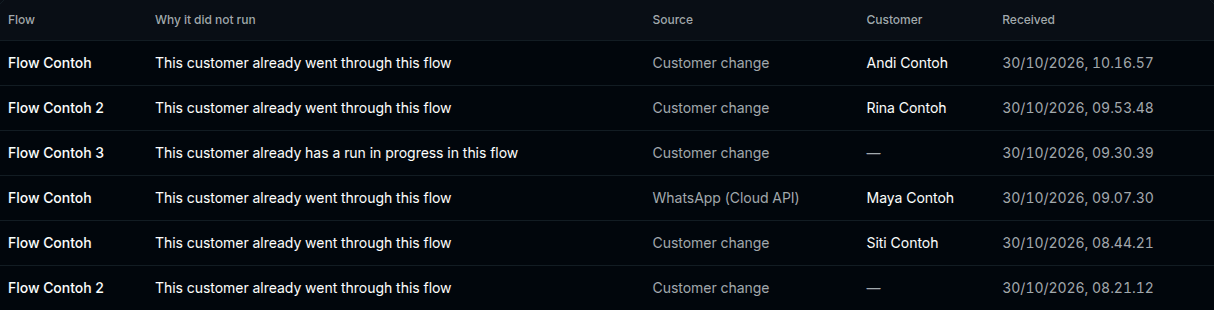
Baca tabelnya. Kolomnya: Flow, Why it did not run, Source, Customer, Received.
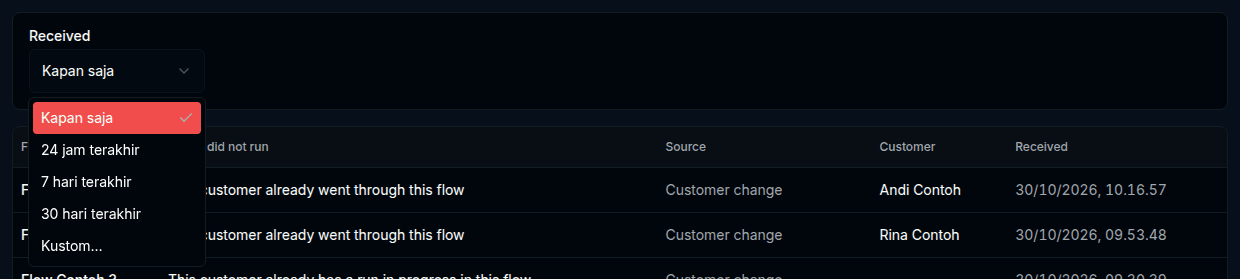
Pada Received, pilih periode: Kapan saja, 24 jam terakhir, 7 hari terakhir, 30 hari terakhir, atau Kustom….
Bila daftar lebih dari satu halaman, pakai Sebelumnya dan Berikutnya.

Hasilnya
Halaman Skipped events — "Messages and customer changes that matched a flow but did not start a run." Kolom Why it did not run berisi salah satu alasan berikut:
| Teks di layar |
|---|
| This customer already went through this flow |
| Too many runs were already waiting (workspace limit) |
| This customer already has a run in progress in this flow |
| Did not start a run (alasan lain) |
Kolom Source memuat misalnya WhatsApp (Cloud API), WhatsApp (Konekwa), Customer change, atau Other source. Kolom Flow bertuliskan Unavailable bila flow-nya sudah tidak ada.
Masalah umum
- No skipped events — "Events that matched a flow but did not start a run will show up here."
- No skipped events in this period — "Try a different period, or clear it." Klik Clear period.
- This period cannot be listed — pilih tanggal mulai dalam 90 hari terakhir, atau klik Clear period.
- No skipped events on this page — klik Go to the last page.
- Could not load skipped events — klik Retry.